01↗
Bring the facts together.
Import payroll CSVs, organize workers, and connect classifications to the wage version selected for each project.
CSV → Workers → Project

FOR US PUBLIC WORKS CONTRACTORS
Import the payroll export you already have from QuickBooks, ADP, Gusto or Paychex, review exceptions with evidence, and prepare a signed WH-347 every week — in one workspace, without changing your payroll provider.
✓ Free first report ✓ Works with QuickBooks, ADP, Gusto & Paychex exports ✓ Keep your payroll provider

ONE WORKSPACE.
YOUR WEEKLY REPORTING WORKFLOW.
LESS CHASING. MORE CLARITY.
Payroll in one file. Rates in another. Questions in someone’s inbox. Bring the work—and the people responsible for it—together.
Import payroll CSVs, organize workers, and connect classifications to the wage version selected for each project.
Run ReadyCheck to surface exceptions and missing information, with evidence your team can actually review.
Confirm reporting facts, prepare the WH-347, and sign deliberately. Keep the signed package and correction history.
YOUR PRIORITIES. CONNECTED.
From effective-dated wage schedules to signed weekly records, keep each decision connected to its source.
READYCHECK + EXCEPTIONS
See the finding, the evidence, and the calculation. Assign an owner, correct the source, and rerun the check. Your team keeps control of the review.
Explore a sample finding →A reporting fact needs confirmation before this record is ready for the next step.
Keep wage modifications, classifications, and effective dates connected. Verified versions stay locked; a new modification gets a new record.
Prepare weekly records from reviewed payroll. Confirm fringe and apprentice facts, review declarations, and sign with explicit intent.
Keep signed snapshots intact. Corrections create a new record, so your team can follow what changed without losing the original.
Project access and financial permissions help each person see the information their work requires.
SEE THE CONNECTION
Follow a payroll week from source records to exception review and WH-347 preparation. Explore each stage in this interactive example.
Riverside Bridge · Week ending Sep 12
Bring hours, classifications, and payroll records into one project workspace.
THE REAL PRODUCT
Actual screens from PaidReady with fictional sample data — not mock-ups. Open the sample WH-347 to see the output the workflow produces.
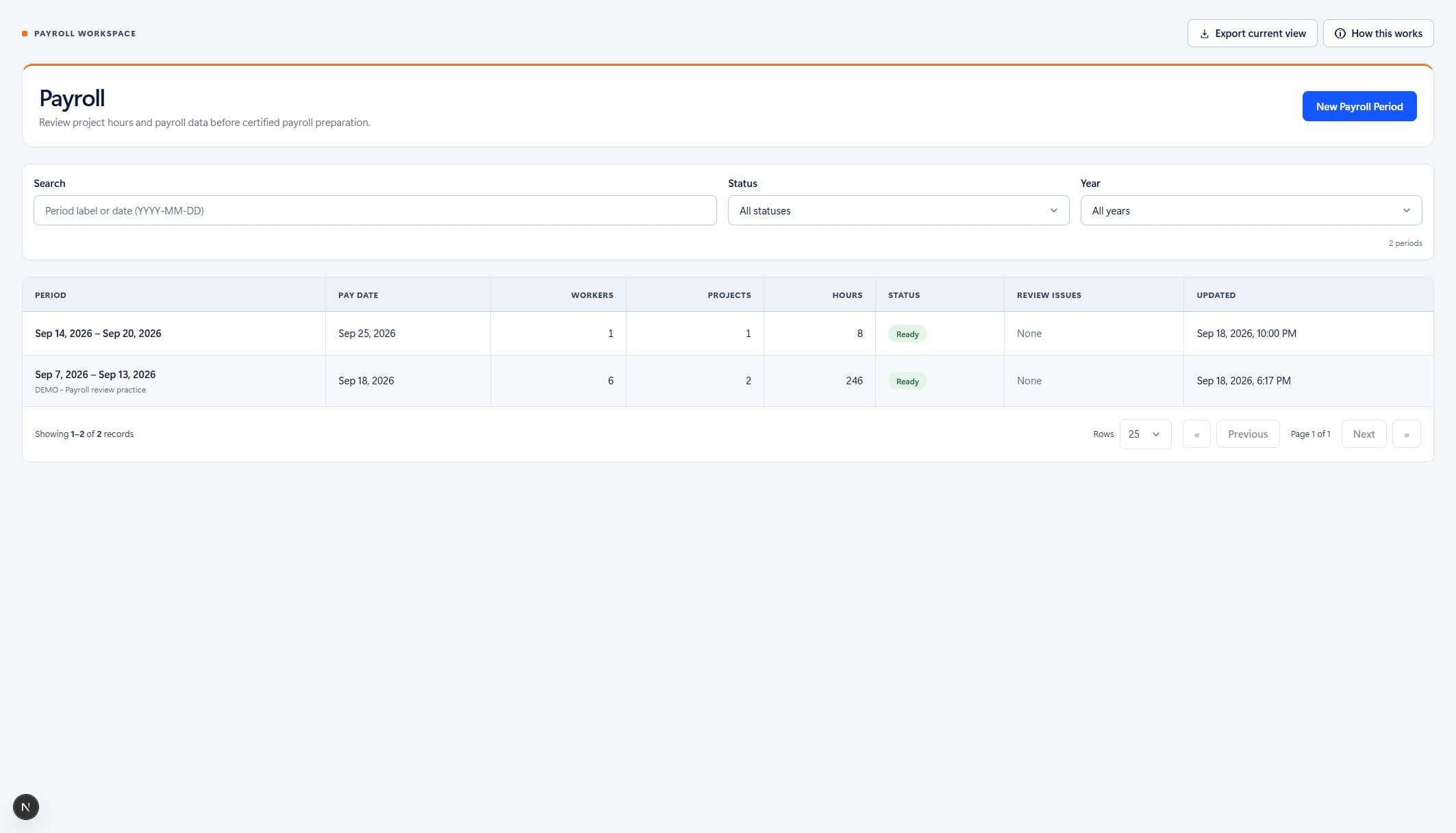
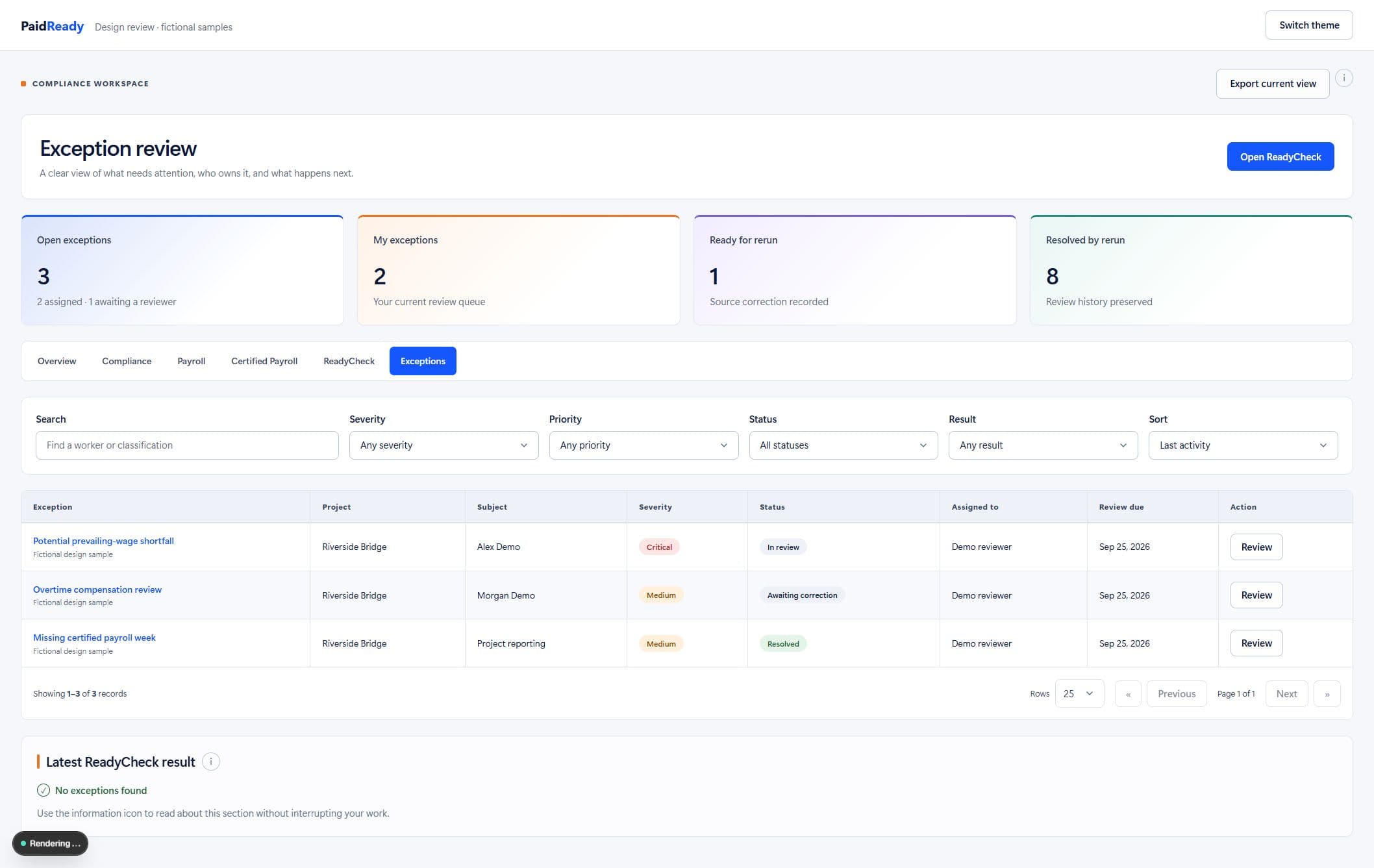
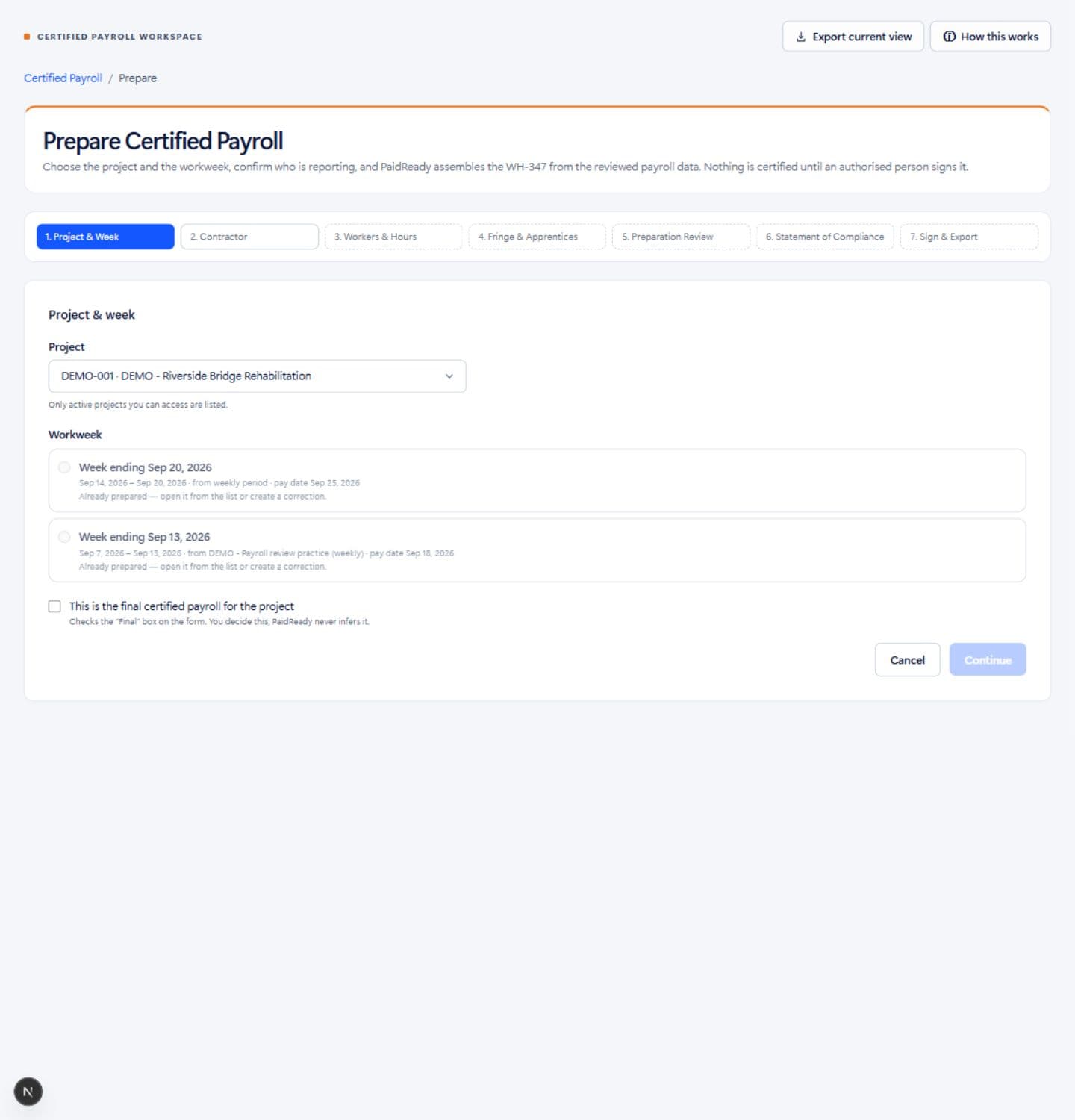
Download a draft WH-347 produced by PaidReady from fictional sample data — every column, the wage determination reference, and the watermark that stays until an authorised person signs.
Download the sample WH-347 (PDF) →FOR THE PEOPLE DOING THE WORK
Designed for specialty contractors and subcontractors doing recurring public works jobs—from electrical and mechanical trades to concrete and sitework. Best suited to teams bringing payroll CSVs into a weekly federal reporting workflow.
Bring your team togetherBring exported payroll data into one project workspace, review unmatched records, and prepare the weekly reporting facts.
Investigate exceptions with evidence. Track ownership, comments, and reruns without losing the review trail.
Give your payroll and review teams a shared record, with project access and financial details governed by role.
KNOW WHAT YOU ARE STARTING WITH
Keep your payroll provider. Use PaidReady to organize and review the records behind your weekly certified payroll report.
CURRENT OFFERING
BEFORE YOU START
PLANNED · NOT AVAILABLE TODAY
State/local rule packs, direct payroll and agency-portal integrations, pay applications, lien waivers, and payment-readiness workflows are future work. They are not included in the current offering.
PaidReady does not automatically submit reports to agencies or guarantee acceptance.
Have your project details, selected wage determination, worker classifications, and payroll CSV ready. Import and review the data, resolve outstanding questions, then confirm declarations and sign when your team is ready.
Explore the sample workflow →CONFIDENCE COMES FROM THE RECORD
Software should make the facts easier to understand.
Your team stays responsible for review and certification.
Versioned rules show what was evaluated, what was found, and where more information is needed.
Signed records are preserved. Corrections and review activity build a traceable record over time.
Applicability is recorded by your team. Declarations and signing require explicit human confirmation.
Current scope: federal DBRA / CWHSSA foundation and generic certified-payroll checks. State/local rule packs and agency-portal integrations are not yet available. Outputs do not guarantee compliance or agency acceptance.
GOOD QUESTIONS. CLEAR ANSWERS.
What PaidReady does, how it fits, and where the current boundaries are.
PaidReady validates imported data, checks for duplicate imports, runs enabled ReadyCheck rules, and prepares WH-347 drafts from reviewed payroll records. Your team resolves unmatched records, confirms classifications and reporting facts, reviews findings, and explicitly signs declarations. You can save column mappings for repeat CSV imports. Direct payroll synchronization and agency submission are not part of this workflow.
PaidReady is certified payroll and review software for US public works contractors. It connects projects, wage determinations, worker classifications, payroll records, WH-347 preparation, and exception review in one workspace.
PaidReady focuses on preparing and reviewing public works payroll records. Bring your payroll data into the workspace through CSV import. It does not move wages, file payroll taxes, or replace your payroll provider.
Yes. Prepare a weekly submission from reviewed payroll records, confirm reporting facts and declarations, and sign with explicit intent and a fresh password check. Signed submissions and their documents are preserved; corrections create new records.
ReadyCheck evaluates enabled, versioned rules against available data and the requirements your team records. Findings include evidence, calculation details where relevant, and actions for review. Missing information is identified separately. It does not produce a compliance score or determine which laws apply.
Current rule packs cover a federal Davis-Bacon / CWHSSA foundation and generic certified-payroll checks. State and local rule packs and direct agency-portal integrations are not yet implemented. Confirm the supported scope and your recipient’s requirements before relying on an output.
Yes. Assign exceptions, set priorities, add comments, and track review activity. Correct the source records and rerun checks to determine whether an exception is resolved. Access to projects and financial information is controlled through permissions.
No. Signing and recording submission are separate steps. A submission marked as submitted means your team recorded sending it; it does not indicate agency receipt or acceptance.
YOUR NEXT PAYROLL WEEK STARTS HERE
Bring your payroll CSV, selected wage determination, and worker records. Start with one project and one reporting week.
Request early access Free first report · No setup fee · Month to month